Behind the scenes
What just happened, automatically.
Every chat, call, form and booking you tried set off the same automations Virtual Sprout builds for clients. Here's what happened in the seconds after you clicked.
These are real screens from this demo's setup, using a sample contact. Click any image to see it full size.
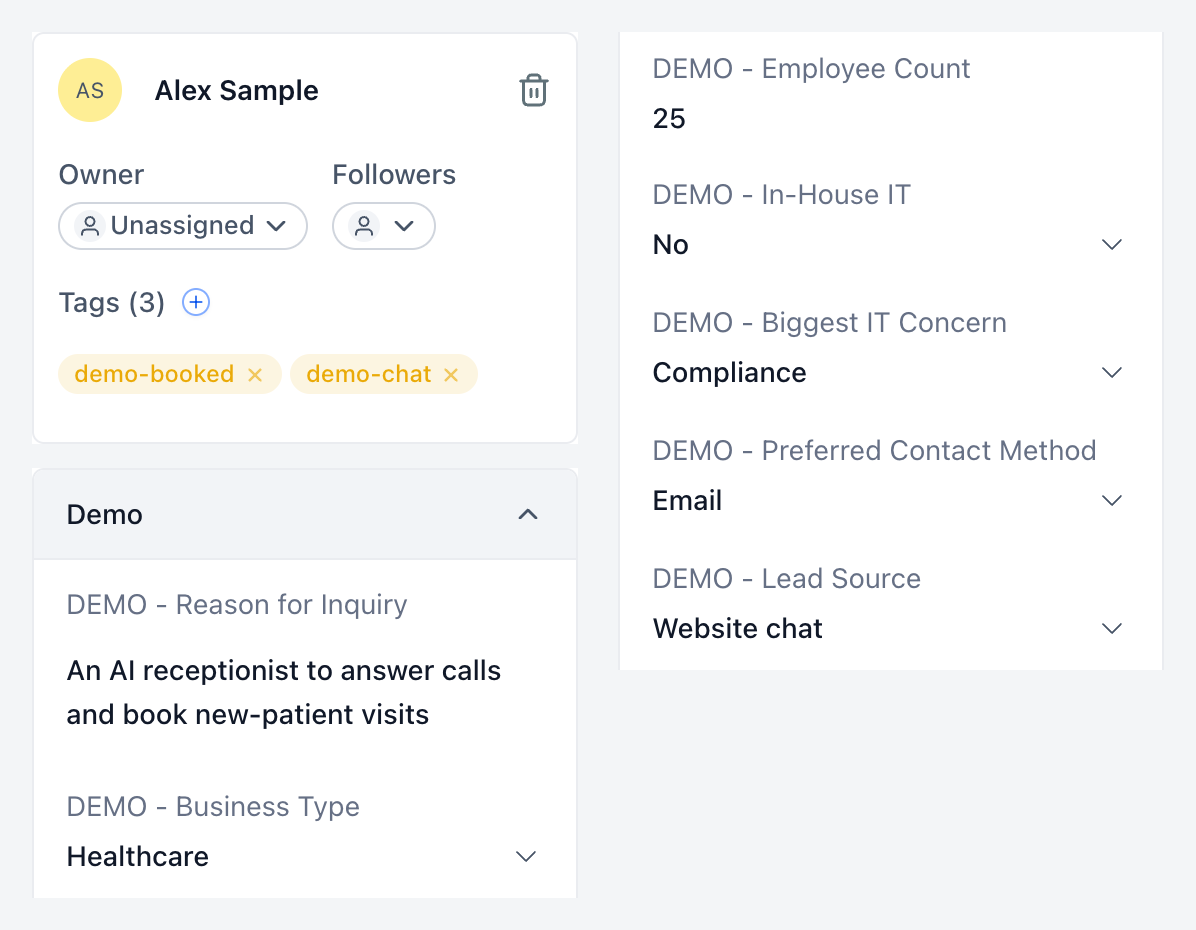
Your details were saved to a contact record.
Name, email, company and your answers landed in one contact record, with tags that show where you came from: chat, phone, form or booking. No retyping, no sticky notes.
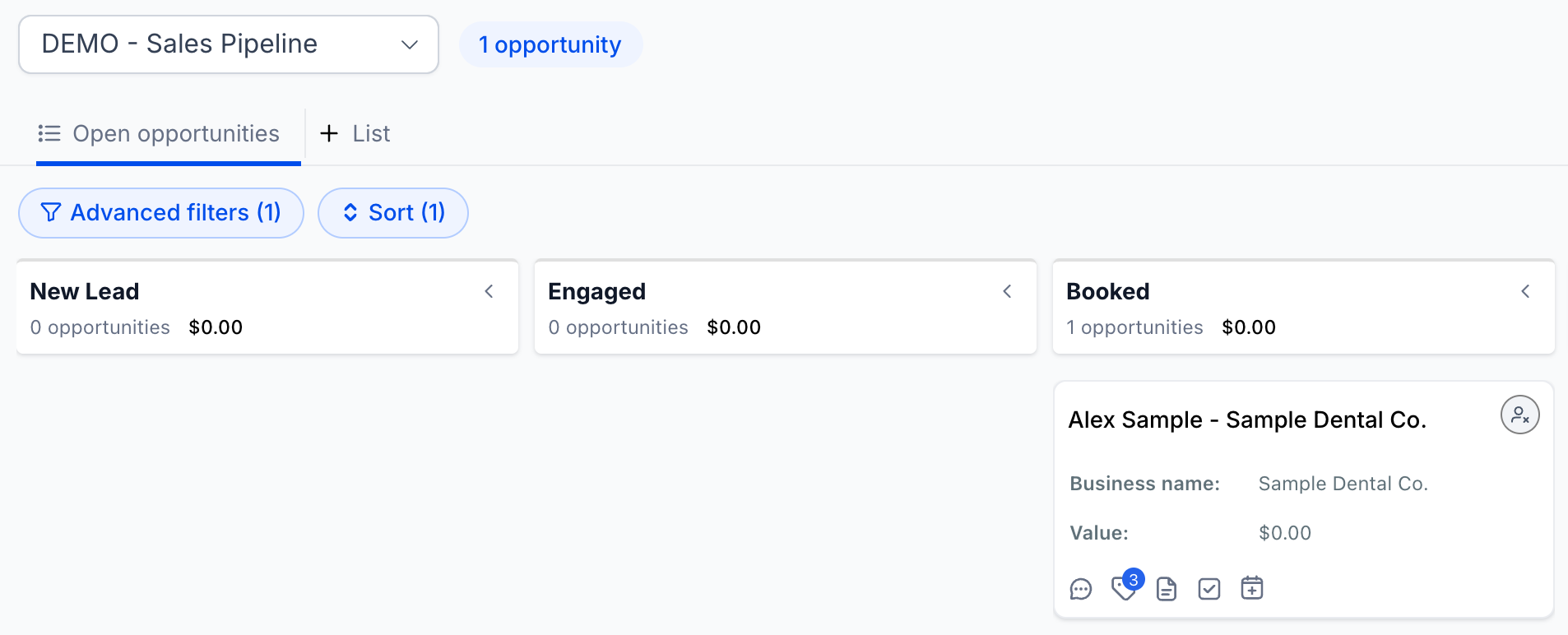
You were added to our sales pipeline.
A new opportunity appeared in the New Lead stage. When you booked, it moved to Booked on its own, so the team always knows where every lead stands.
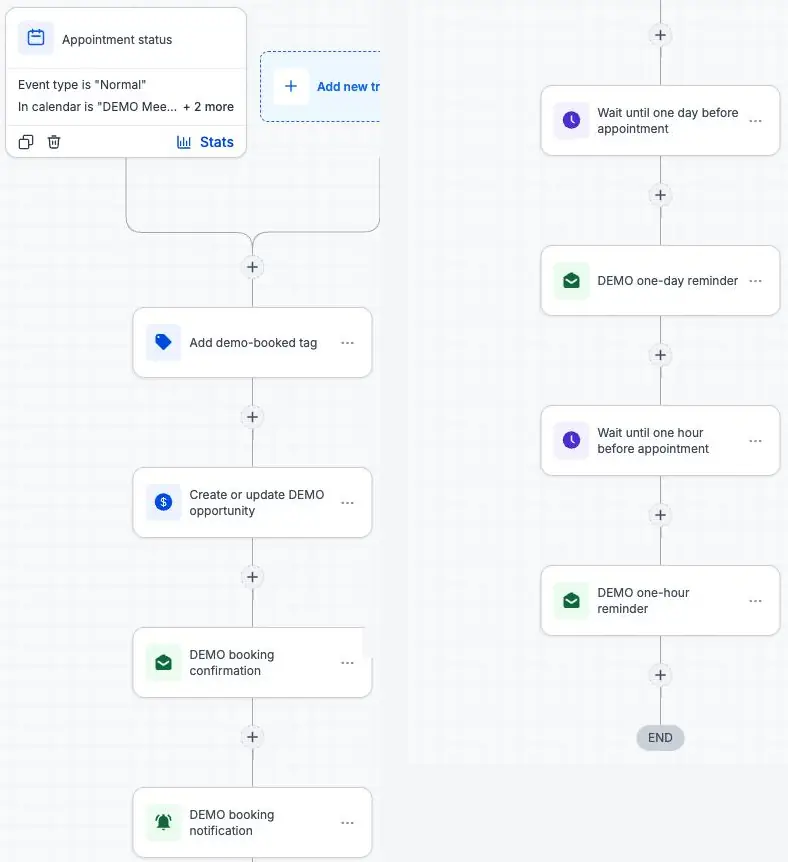
Confirmations and reminders were scheduled.
A confirmation email went out right away, and reminders are lined up before the meeting. In a live setup, text reminders go out too.
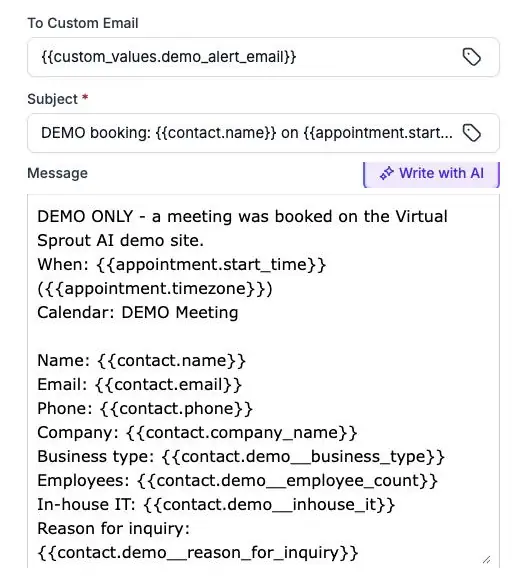
Our team got an alert.
An email with your details and answers reached our team the moment you finished, so someone can follow up while you're still interested.
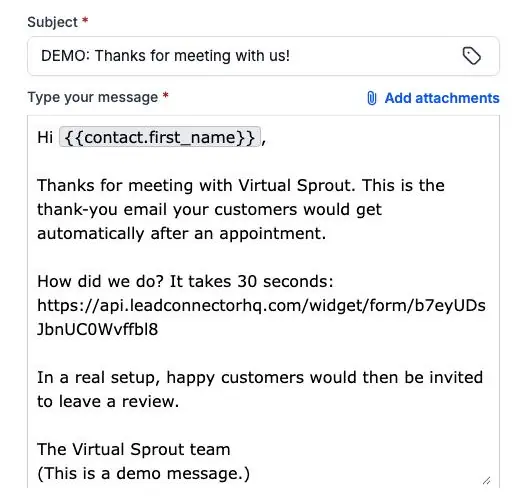
After the meeting, a quick feedback request goes out.
Happy customers are then invited to leave a review. In this demo, the request points to our feedback page instead of Google, so no fake reviews are ever created.
Want this for your business? Talk to us.
Talk to Virtual Sprout
A live demo of the AI tools Virtual Sprout sets up for clients.